On-Demand AI for UXit workflows
Muse
Turn a brief into review-ready UXit cards in one flow: Requirements, Use Cases, Acceptance Criteria, and guideline Conditions. Tune the draft, approve the winners, and move real work onto the board.

Muse Chat
Brief it. Draft it. Approve it.
Ownership
Your Muse workspace is private by default. Chats, drafts, outputs, and attachments stay under your control. Share a conversation only when you choose to send feedback.
Bring your own API key with confidence. Saved keys are encrypted at rest with AES-256-GCM, and provider usage stays tied to your account.
Turn on Muse History when you want a record. Draft versions and attachments stay organized in Artifacts, and JSON export keeps the work portable. You own the work and keep the record.
Requirements, use cases, and acceptance criteria keep their structure when they leave Muse, so the work is ready to review, implement, and archive.
Before / after
Requirements land with client promises, review-ready structure, and the momentum to move.
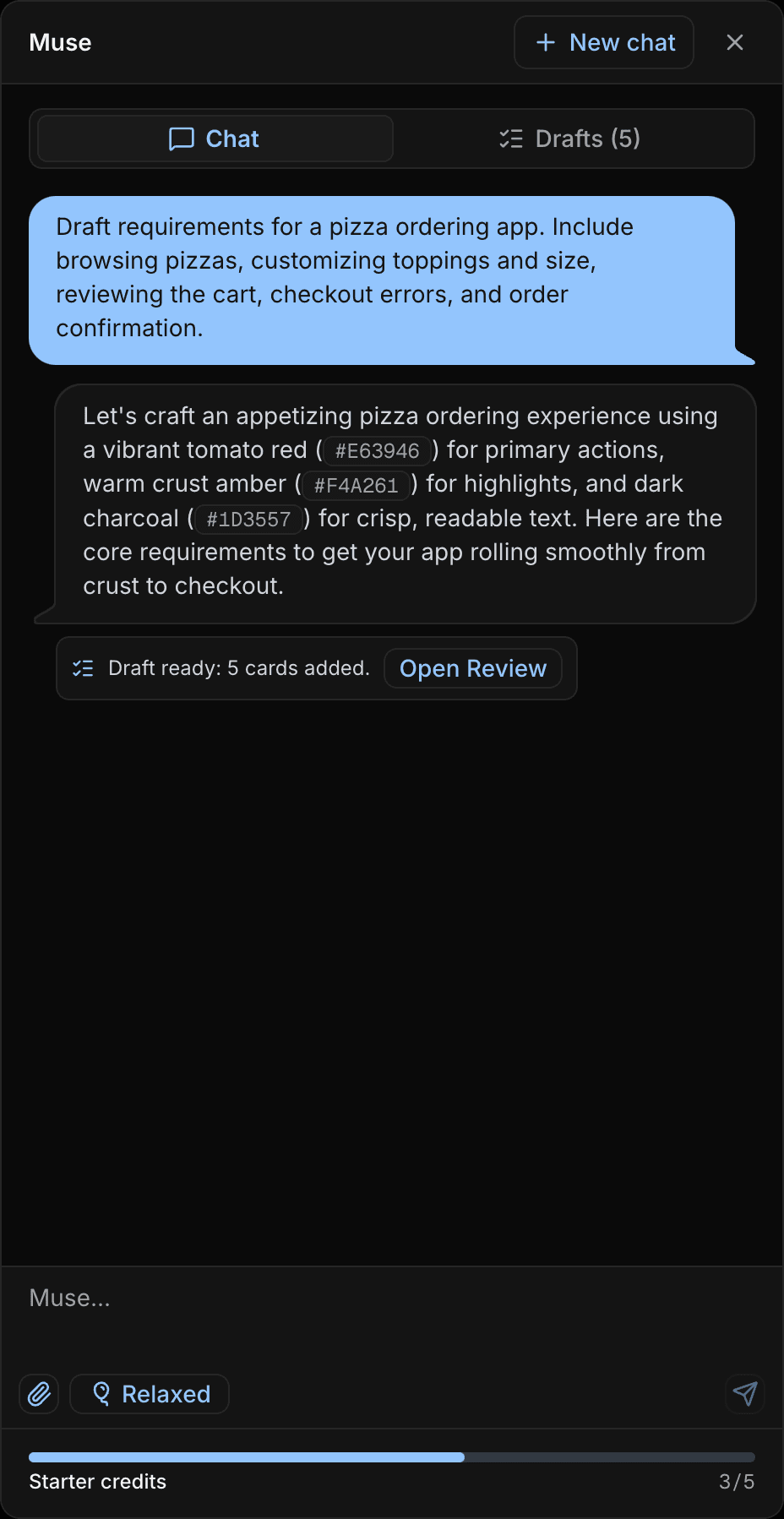
The brief
We need a pizza app where people can pick pizzas, change toppings, checkout, recover if payment fails, and know the order went through.
Pizza menu browsing
Users can find pizzas with descriptions, imagery, prices, and dietary labels.
Order customization
Users can choose size, crust, toppings, and quantity without losing progress.
Cart review
Users can confirm items, prices, and changes before payment.
Checkout recovery
Users can understand and fix checkout errors without rebuilding the cart.
Order confirmation
Users know the order was placed and what happens next.
Output
Title, description, client promise, starter use cases. Then the decomposition the work actually needs: requirement, use cases, acceptance criteria. Less interpretation gap between design, dev, QA, clients, and stakeholders.
Requirement draft
Title
Pizza menu browsing
Description
Shoppers can compare available pizzas before they customize an order.
Client promise
Users can find pizzas with descriptions, imagery, prices, and dietary labels.
Starter use cases
Requirement
Use cases
Acceptance criteria
Fine-tuned modes
Pick the posture before the prompt. Muse can explore, audit, brainstorm, or execute without making you rewrite the brief for each kind of work.
Live in beta
Default planning style. Talks it through. Does not rush a bad draft.
Splits an unclear brief into draftable areas, then asks one useful follow-up before writing cards.
Screenshot-aware usability and accessibility review.
Reads the screenshot, names the issue in plain language, cites WCAG when useful, and gives a concrete, testable fix.
Explores options and tradeoffs until you choose what belongs in Drafts.
Lays out competing paths in chat and waits until you pick what should become cards.
Minimal chat. Draft the cards now.
Writes the cards immediately. Drafts is where you review, not a long conversation.
Coming soon
Every Muse mode is available on every plan as it launches, so everyone gets the same controls.
Stakeholder language. Clear outcomes, less internal shorthand.
Overlapping notes into fewer, sharper cards.
Patterns, risks, and tradeoffs. Then draftable UXit work.
Oversized wishlists into a focused MVP slice.
Image recognition
Add screenshots, mockups, or interface photos and Muse turns visual context into testable requirements and guideline conditions.
Checkout error
Empty state
This checkout error only shows a red border.
Accessibility
The checkout error relies on a red border, so some users may miss what failed. Add inline text, keep the border, and move focus to the first blocking error. WCAG A: errors need a text-based cue, not color alone.
Every Muse mode can read images and respond to what is on screen, from screenshots and mockups to interface photos.
Access
Muse is available on every plan. Start with credits, bring your own key, or add Muse Credits when you want UXit-managed AI.
Try it now
Starter Muse credits get you into real work without a card or provider setup. One-time balance. It does not renew. Use them when you want Muse in the workflow.
Coming soon
UXit-managed AI. No API keys. No token math. No second vendor invoice. One Muse action that calls AI costs one credit: text, images, refine, or a mix.
Advanced
Bring your own API key in Settings → Integrations. Available on every plan. Same Muse workflow. Saved keys are encrypted at rest, while OpenRouter usage and charges stay with your provider account.
Start with credits, bring your own key, or add Muse Credits when you want managed AI.